 Composal
/Engineering
How we use OpenAI Decisions to make browser agents more reliable
How Composal combines product discovery, persistent knowledge, and OpenAI Decisions to run user journeys again—and what our open-source Roder evaluations show.
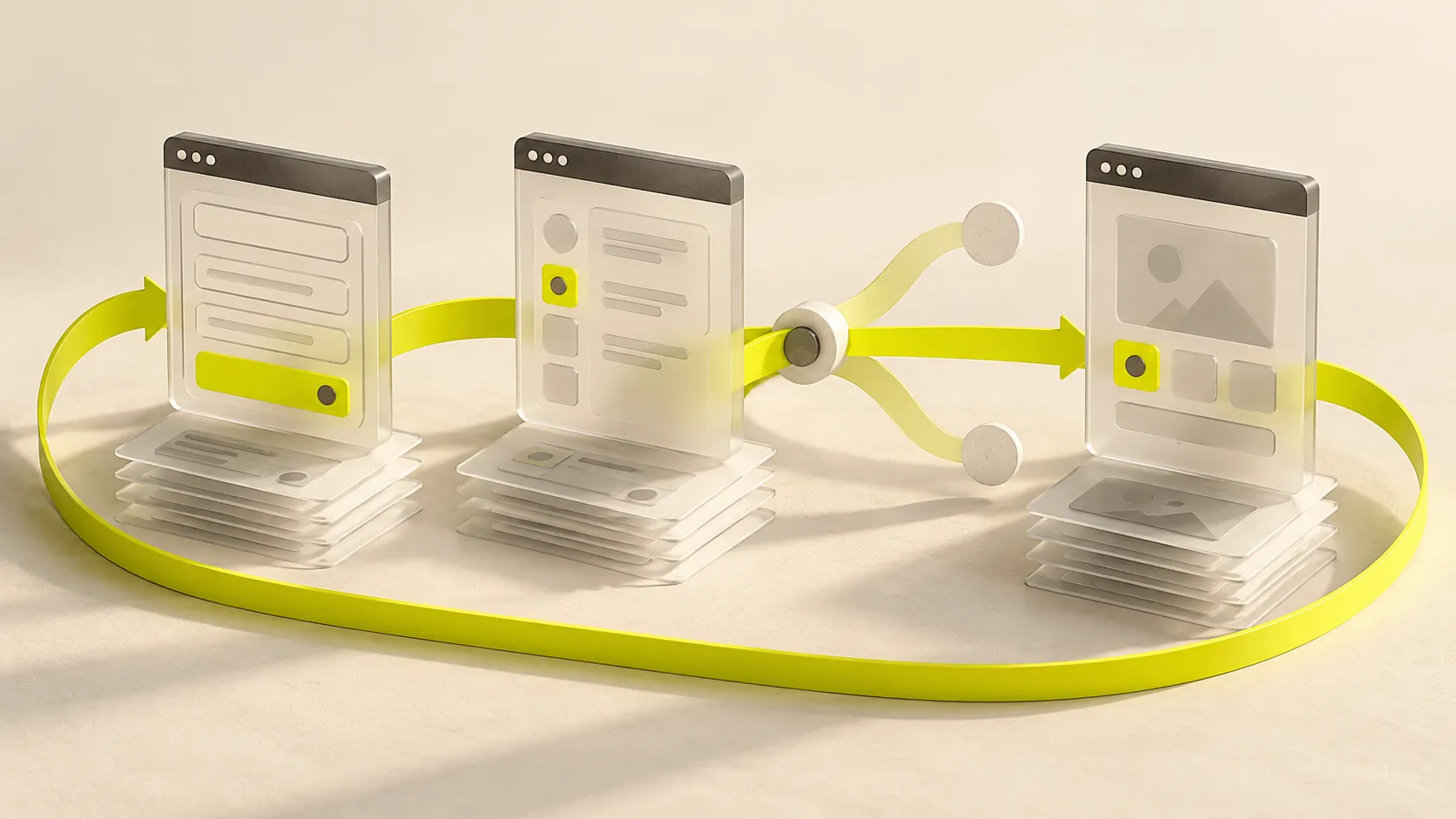
My starting point with OpenAI Decisions was a browser represented as text. The harness read the page, described the available controls, and asked the model to choose an operation and a target. It could work with labels, field values, and surrounding text without receiving a picture of the page.
One failure made the problem clear: the agent added an item to a cart, saw the updated page, and clicked Add again. It eventually reported completion with several copies of the item in the cart.
In our first published Decisions comparison, on October 6, the adapter passed 47 of 72 attempts across 24 local tasks. Ten attempts reported done while failing the outcome checks. Repeated product labels, forms inside frames, icon-only controls, and knowing when to stop all exposed weaknesses.
Before adding visual evidence, we needed better ways to describe what had changed and ask whether the user’s goal had been met. Composal depends on agents checking the same journeys after each release. Repeating a successful action until the result is wrong defeats the purpose.
We use OpenAI’s Decisions API for a specific part of that work: choosing the next browser action in a Scenario. We build the surrounding execution and evaluation machinery in Roder, our open-source agent harness. The experiments below changed the questions and browser evidence we give the model, as well as how the harness handles its answers.
Learning the product
Our own Composal project shows how discovery feeds into those repeatable journeys.
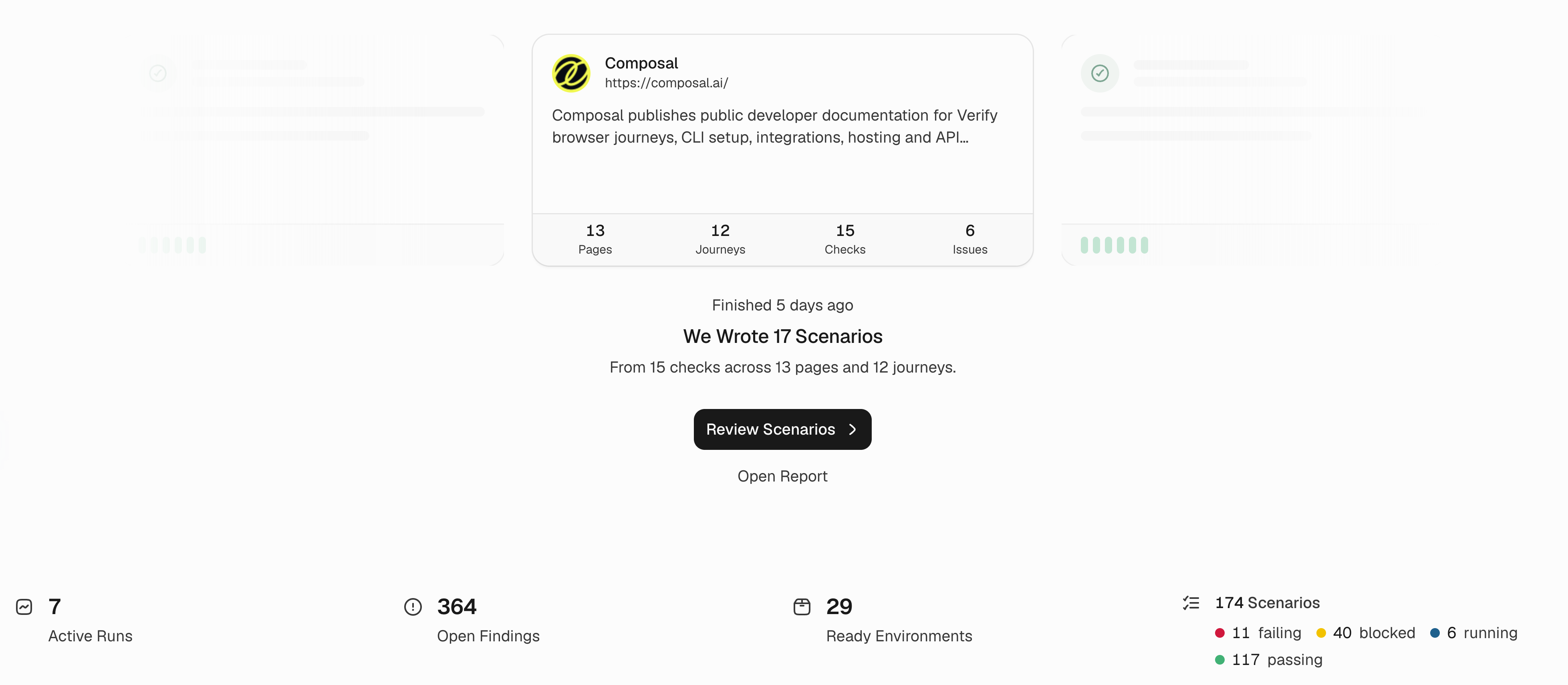
Select any product screenshot to open it at full resolution. Our own Composal project in Verify. Discovery has produced 17 Scenarios here; the overview also shows active runs, findings, and ready environments. The counts show this project at capture time.
The process starts with learning the product. Discovery explores an application, maps its features and user journeys, and retains knowledge across runs. A useful discovery result tells us how to reach a workflow, what needs to be set up first, what the user expects, and what actually happened. It also records where exploration stopped.
One of our own journeys creates an environment, renames it, reopens it, and archives it. The checks cover whether the new name persists, whether the address stays unchanged, and whether archiving the disposable record leaves its neighbour alone. Those observations give the next agent something concrete to work from.
We can turn observed journeys into Scenarios: repeatable tests with starting conditions, user actions, and expected outcomes. Each Scenario needs to run without depending on browser state left behind by the discovery session.
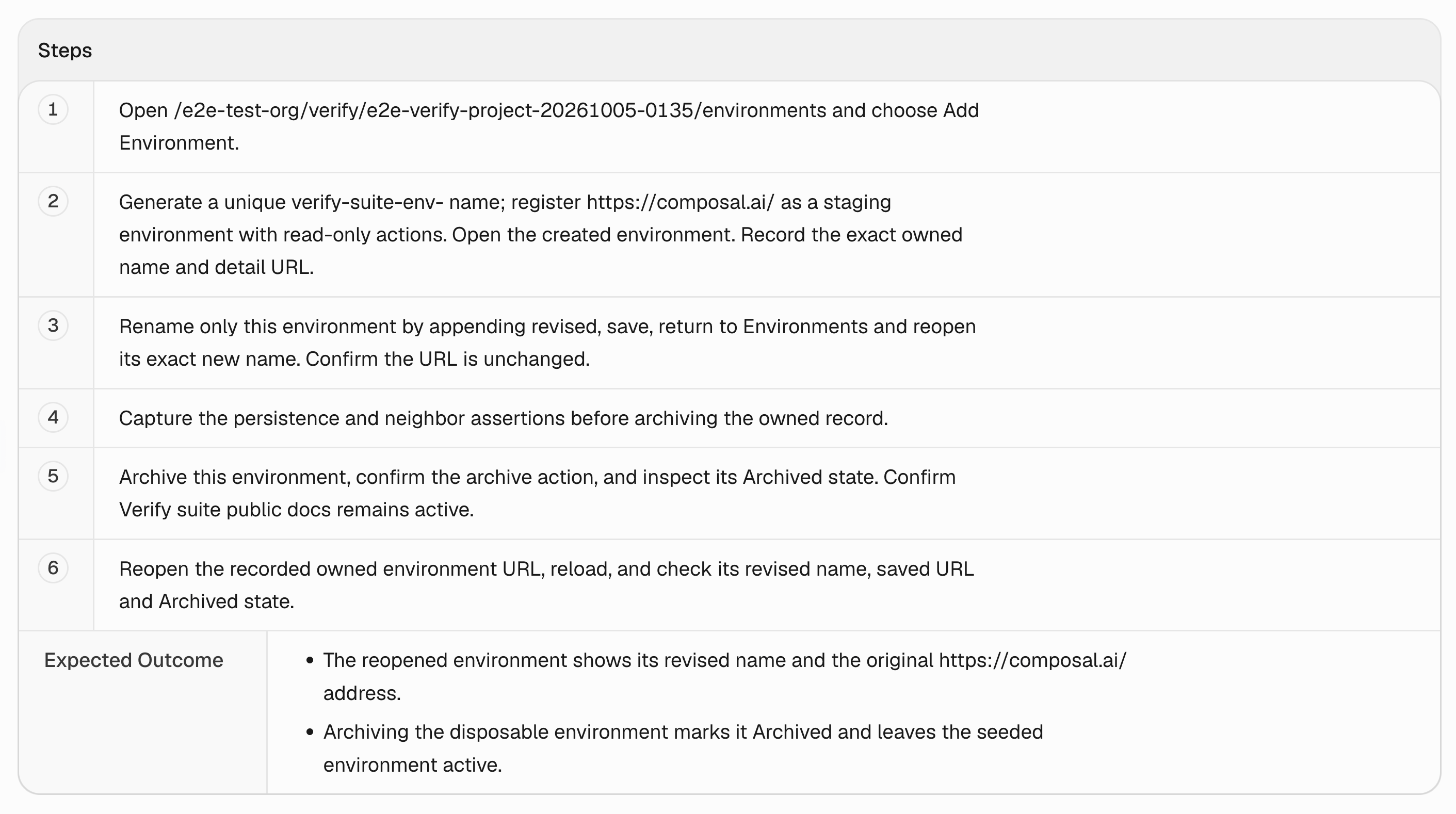
The environment journey specifies what should persist after reopening and which neighbouring record must remain untouched.
Retained knowledge helps an agent decide where to look and what to expect. Each new run still has to establish what the application does now; yesterday’s success cannot stand in for today’s check.
Choosing the next browser action
Decisions sits inside the Scenario execution loop. Discovery has its own exploration agent; product memory lives in Composal. The Scenario coordinator manages the journey, while Decisions selects a next interaction from the current browser evidence. Our execution layer checks and performs the action, then collects a fresh observation.
The API accepts text and images and returns typed answers: a choice from supplied options, a probability for a condition, or a score. Our integration uses gpt-6-luna through POST /v1/decisions. We can ask which operation should happen next and, conditionally, which observed control that operation should target. Only the target for the selected operation is used. OpenAI documents the question types and batching rules here.
For example: given this form, its current values, and the actions already taken, should the agent fill a field, select an option, or click a button? If the next operation is a click, which of the offered buttons advances the unfinished step?
The harness supplies the candidates and performs the selected action. It restricts field values to inputs admitted by the host and checks browser permissions and observation freshness before execution. The coordinator then checks progress against the new evidence.
What visual feedback changed
Before adding screenshots, we improved what the text told the model. We rewrote the questions around observable completion, included current values and the containing card or row, and supplied recent actions and their effects. Refusal handling also became more precise: an unused target question should not invalidate an otherwise usable decision, while refusal of the selected operation or target must stop the action.
Then we added a fresh viewport image to the evidence. That gives the model layout and visual context alongside the controls it can actually choose. An icon, its position, and the card surrounding it can carry meaning that is lost in a text description. The execution boundary stays the same: the model selects an offered action, and the harness validates it.
Our October 8 evaluation reran the original adapter alongside those changes, using 24 tasks three times per variant:
| Decisions integration | Passed attempts |
|---|---|
| Original text-based adapter, rerun as the control | 51/72 — 70.8% |
| Revised questions and action history, text only | 62/72 — 86.1% |
| Revised questions, action history, and screenshots | 68/72 — 94.4% |
The original adapter scored 51/72 in this comparison and 47/72 on October 6. Model runs vary, so we reran the control alongside the new versions. The table compares those contemporaneous runs.
The text improvements helped before we added vision. Visual evidence helped further in this run. The four new held-out tasks were passed in all 12 attempts by the visual version, but also by the original adapter, so that small holdout did not establish an accuracy advantage.
Giving the model better page structure
We next improved the page structure supplied alongside the image. It describes relationships: a button belongs to a particular form; fields sit inside a section; a control is disabled; a field already contains the requested value. Two buttons can both say Save. A filled search box can still need submitting. A review screen can look finished while the final confirmation remains untouched.
Secret contents stay withheld; the observation can still describe whether a protected field has been filled. Presence tells us something about progress, without establishing that the credential is correct.
A later semantic-page evaluation tested a broader set of 58 known tasks, with 166 attempts per profile:
| Decisions profile | Passed attempts | False successes |
|---|---|---|
| Original visual profile | 152/166 — 91.6% | 7 |
| Visual profile with semantic page context | 157/166 — 94.6% | 1 |
I pay particular attention to false successes: runs that report completion while independent outcome checks disagree. A verification product can mislead a team by giving it confidence in something that did not happen. This profile reduced those errors from seven to one in the campaign.
The richer profile used 73.8% more input tokens. On the 147 attempts both profiles passed, its median paired wall-time increase was 58 milliseconds. These were repeated local fixtures on a shared machine, including previously used tasks. They let us investigate failures and compare changes, but they do not establish a success rate on unseen customer websites or in production.
We also tested an additional completion-audit profile. It passed 150 of 166 attempts, below the semantic-page profile. Adding another model check did not improve the overall result in that campaign. We kept that result in the report too.
The published evidence includes the frozen test protocol, raw requests and responses, outcome summaries, and analysis scripts. The tests check resulting page state and side effects, including duplicate writes and required stops. Fill values are supplied by fixtures, and fallback models are disabled so another model cannot rescue a failed attempt and obscure what was measured.
Running the journey again
The user goal and expected result should remain stable while the agent works from the interface it encounters today. If a form moves, the agent has room to find it. If saving stops working, the test must preserve that failure. Adapting the route must never quietly weaken the expected outcome.
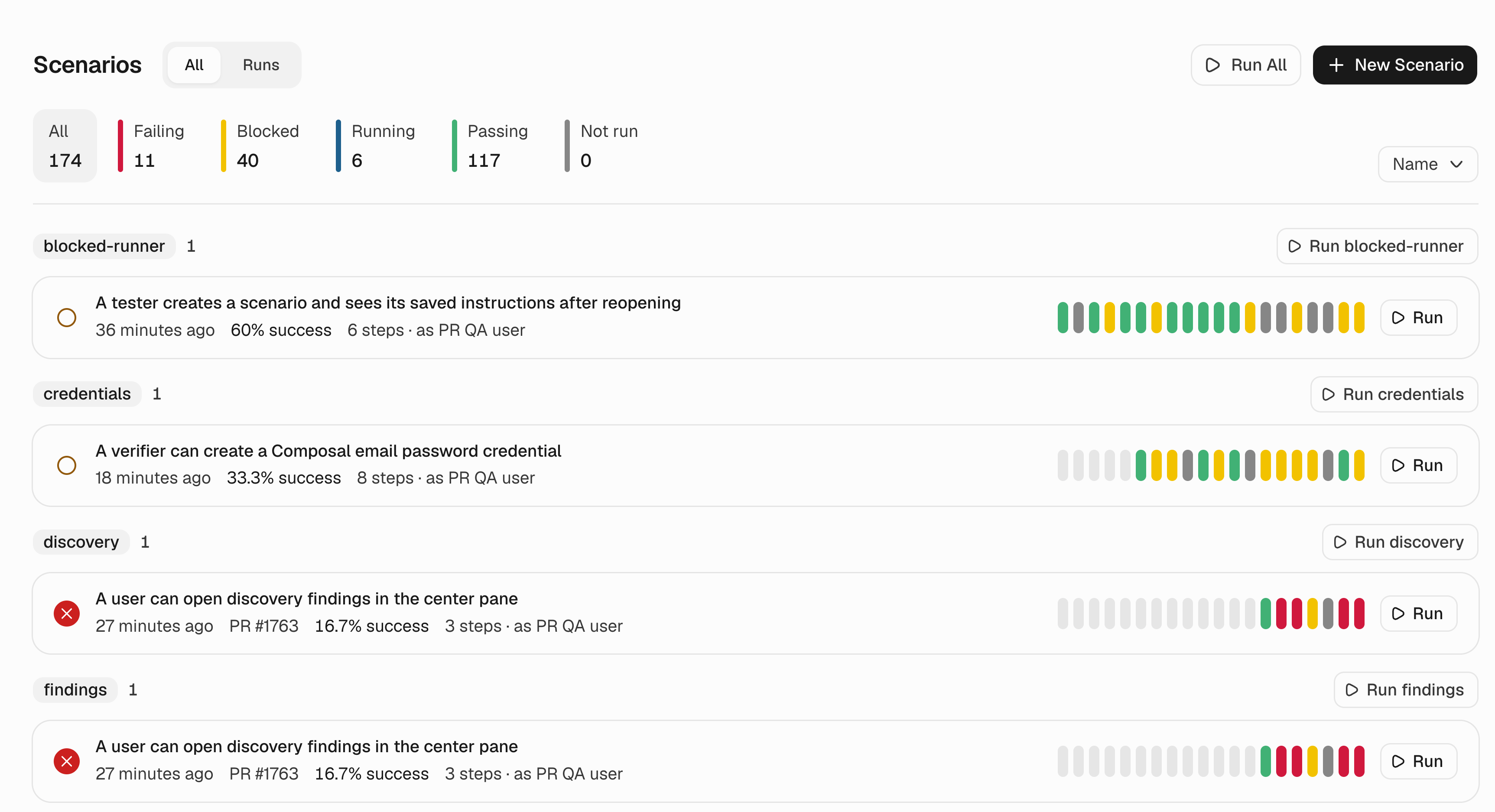
The Scenarios page keeps repeated outcomes visible. These are results for our own application across runs and revisions, separate from the controlled Roder benchmarks above.
When a result needs investigation, I want to see what happened in the browser and which check produced the verdict. The recording, step timeline, and outcome evidence make that possible.
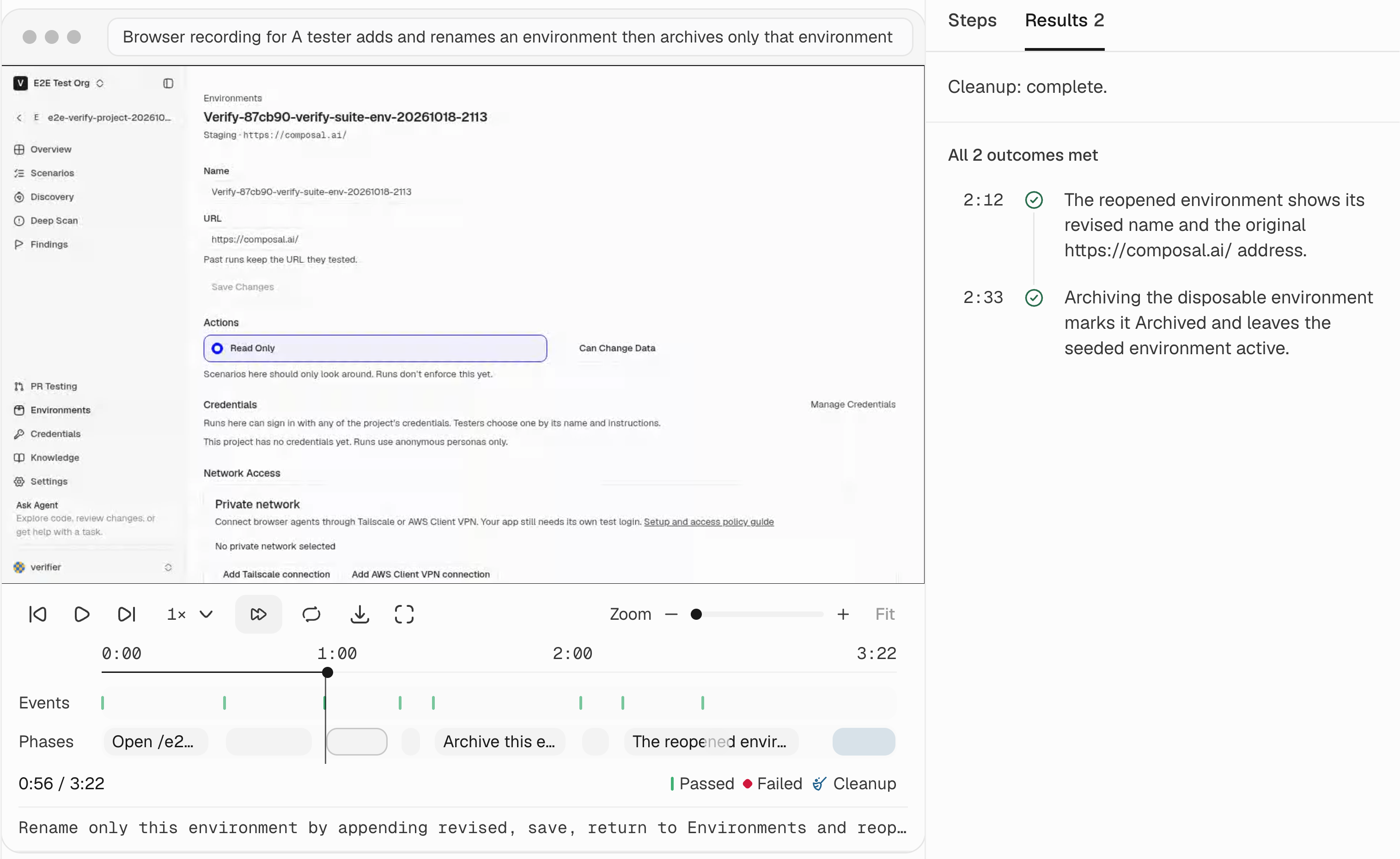
A recorded run of the environment journey, paused at the rename step. This Scenario passed both outcomes; the surrounding grouped run is marked blocked because other Scenarios did not complete. This is replay evidence, not a live browser session.
We are publishing the harness and experiments in Roder. If you are building browser agents, the reports include the requests, outcomes, and scripts needed to inspect our results and reproduce the comparisons. I would like to see how these profiles behave on workflows we have not tested yet.